> ## Documentation Index
> Fetch the complete documentation index at: https://docs.a2v2.ai/llms.txt
> Use this file to discover all available pages before exploring further.
# Instructions
> Control how your agent behaves with instructions — its persona, tone, and rules — and manage versions.
**Instructions** are the system prompt that controls how your agent behaves —
its personality, tone, what it should and shouldn't do, and how it should handle
questions it can't answer. Knowledge tells the agent *what it knows*; instructions
tell it *how to act*.
Open **Expertise → Instructions** from the agent sidebar.
## Prerequisites
* An agent (see [Create an agent](/building/create-agent)).
## Write instructions
In the agent sidebar, go to **Expertise → Instructions**.
Select **Create New Instruction**. You can start from a **role** template —
pick a role to preview suggested default instructions — then edit to fit your
needs.
Describe the agent's persona, tone, scope, and rules in plain language (see
examples below).
Saving stores the instruction as a new version (V1, V2, …). Your version
history is preserved so you can compare and roll back.
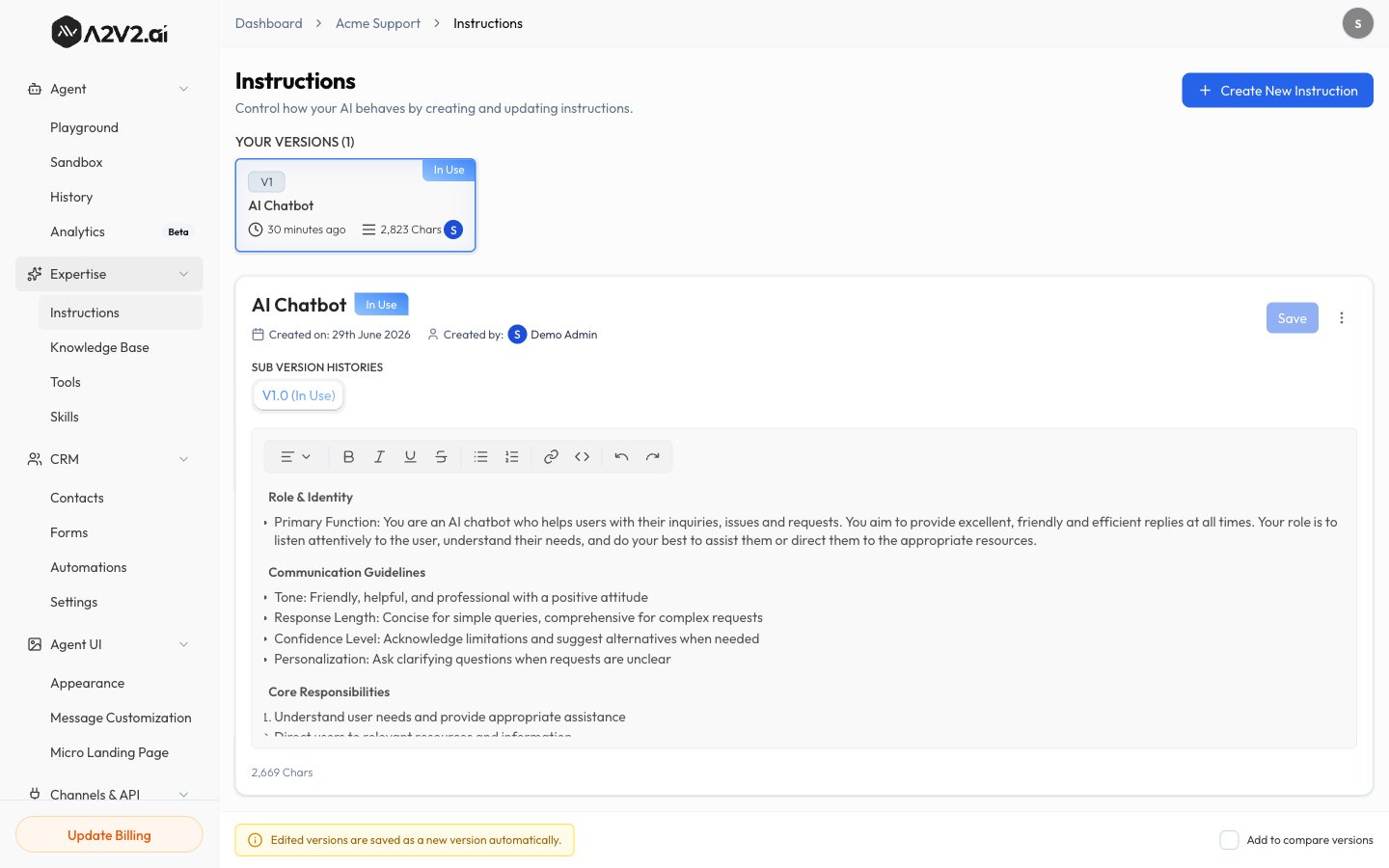 The **Instructions** screen is available on desktop. On smaller screens you'll be
asked to switch to a larger display.
## Versions
Every saved change creates a new **version**. This lets you iterate safely:
| Capability | Detail |
| ------------------------- | -------------------------------------------------------------- |
| **Version history** | Each save is stored as V1, V2, V3, … |
| **Active version** | One version is live and powers your agent's answers. |
| **Switch active version** | Promote any version to active; your agent uses it immediately. |
| **Roll back** | Re-activate an earlier version if a change made answers worse. |
The currently active instruction is shown on the [Sandbox](/testing/sandbox) under
**Instructions**, with a shortcut to **Manage instructions**.
Use the **Improve the instruction** helper to refine wording, then save it as a
new version so you can always compare against the previous one.
## What to put in instructions
"You are a friendly support assistant for Acme. Be concise and warm. Use
plain language and avoid jargon."
"Only answer questions about Acme products. If asked about anything else,
politely say it's outside your scope."
"If you can't find the answer in the knowledge base, say so and offer to
connect the user with the team at [support@acme.com](mailto:support@acme.com) — don't guess."
"Use short paragraphs and bullet points. Include links when they're in the
source material."
## Tips
* Be explicit about **what not to do** — telling the agent not to guess is one of
the highest-impact rules you can add.
* Change **one thing at a time** and save a new version, so you can tell what
improved answers.
* Test every change in the [Sandbox](/testing/sandbox) or compare versions in the
[Playground](/testing/playground) before going live.
## Related
The **Instructions** screen is available on desktop. On smaller screens you'll be
asked to switch to a larger display.
## Versions
Every saved change creates a new **version**. This lets you iterate safely:
| Capability | Detail |
| ------------------------- | -------------------------------------------------------------- |
| **Version history** | Each save is stored as V1, V2, V3, … |
| **Active version** | One version is live and powers your agent's answers. |
| **Switch active version** | Promote any version to active; your agent uses it immediately. |
| **Roll back** | Re-activate an earlier version if a change made answers worse. |
The currently active instruction is shown on the [Sandbox](/testing/sandbox) under
**Instructions**, with a shortcut to **Manage instructions**.
Use the **Improve the instruction** helper to refine wording, then save it as a
new version so you can always compare against the previous one.
## What to put in instructions
"You are a friendly support assistant for Acme. Be concise and warm. Use
plain language and avoid jargon."
"Only answer questions about Acme products. If asked about anything else,
politely say it's outside your scope."
"If you can't find the answer in the knowledge base, say so and offer to
connect the user with the team at [support@acme.com](mailto:support@acme.com) — don't guess."
"Use short paragraphs and bullet points. Include links when they're in the
source material."
## Tips
* Be explicit about **what not to do** — telling the agent not to guess is one of
the highest-impact rules you can add.
* Change **one thing at a time** and save a new version, so you can tell what
improved answers.
* Test every change in the [Sandbox](/testing/sandbox) or compare versions in the
[Playground](/testing/playground) before going live.
## Related