> ## Documentation Index
> Fetch the complete documentation index at: https://docs.a2v2.ai/llms.txt
> Use this file to discover all available pages before exploring further.
# Micro Landing Page
> Give your agent its own shareable mini landing page — bio, products, YouTube videos, links, and socials — without embedding anything on a website.
Not everyone has a website to embed a chat widget on. A creator with a link-in-bio, a
coach sharing a course, or a small business running on social media still wants one
place that introduces them *and* lets people chat with their agent. A **Micro
Landing Page** (MLP) is that place: a hosted mini landing page for your agent, with a
short bio, your products, your YouTube videos, quick links, and social profiles — all
on a single shareable link.
It's an alternative to [embedding](/embed/install): instead of adding your agent to a
site you own, you share the MLP's link directly.
Open **Agent UI → Micro Landing Page** from the agent sidebar.
## Prerequisites
* An agent (see [Create an agent](/building/create-agent)).
* To feature videos, add them to your
[YouTube knowledge base](/knowledge-base/youtube) first — the page pulls from there.
## Create your Micro Landing Page
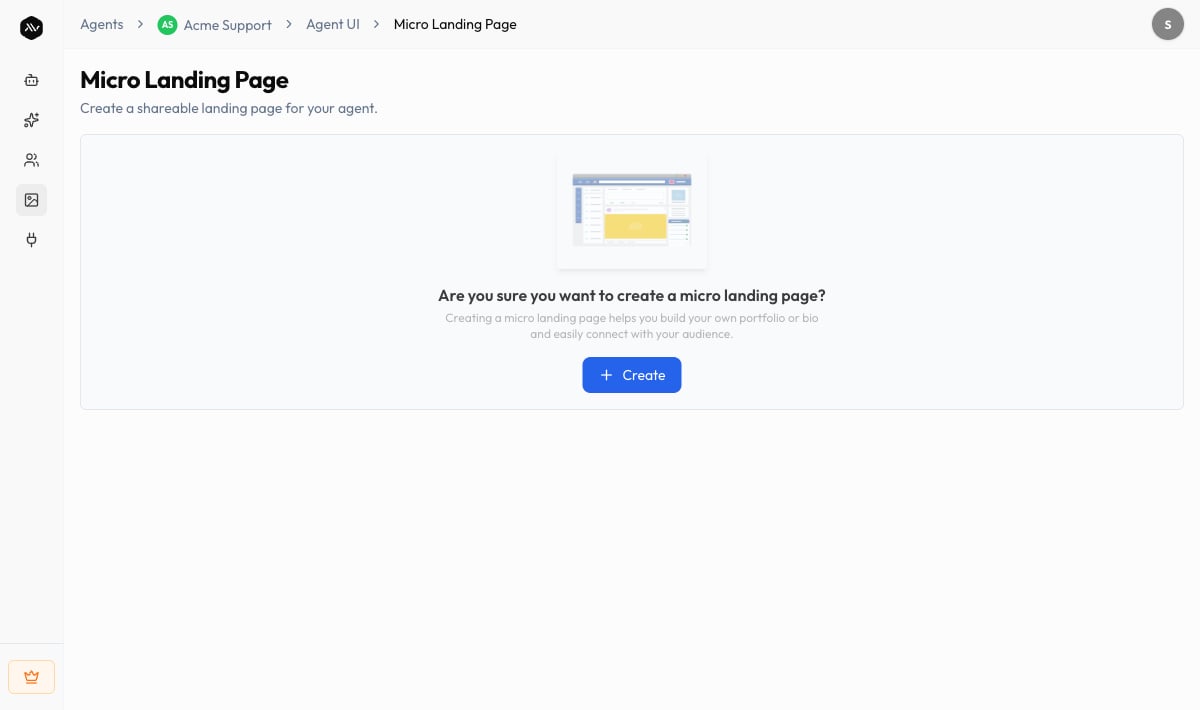
In the agent sidebar, go to **Agent UI → Micro Landing Page**.
Confirm **Create** when prompted. Creating a micro landing page gives you a hosted
profile you can use to build a portfolio or bio and connect with your audience.
Under **Header**, write a short **Bio** that introduces you or your business. This
sits at the top of the page.
Build out the page using the section tabs — **YouTube**, **Quick Links**,
**Socials**, and **Products**. Add only the ones you need.
 Use the live preview to check how the page looks, then turn on **Enable Micro
landing Page** so it's visible to visitors. You can disable it again anytime.
Share your page's link wherever your audience is — link-in-bio, email signature,
social posts, or a QR code.
## Sections reference
Each section is optional. Mix the ones that fit how you want to present your agent.
| Section | What it shows | Good for |
| ---------------- | ------------------------------------------------------------------------------------------------------------------------------------------------------- | ---------------------------------------------- |
| **Header / Bio** | A short bio at the top of the page. | Introducing yourself or your brand. |
| **YouTube** | A grid of YouTube videos, each with a title. Pick videos from your [knowledge base](/knowledge-base/youtube) with **Select Video From Knowledge Base**. | Creators and educators showcasing content. |
| **Quick Links** | A list of links, each with a title, URL, and an optional thumbnail image. | Pointing visitors to other pages or resources. |
| **Products** | A grid of products, each with a title, URL, and optional thumbnail. | Selling or promoting products and offers. |
| **Socials** | Buttons linking to your profiles — Facebook, Twitter/X, Instagram, LinkedIn, and TikTok. | Growing your following across platforms. |
The **YouTube** section pulls from videos you've already added to your
[YouTube knowledge base](/knowledge-base/youtube). Add the videos there first, then
select them here.
## Chat from the page
The Micro Landing Page isn't just a static profile — your agent is built in, so
visitors can ask a question right from the page. Because the page can feature your
YouTube videos, a visitor can also open a video and chat about that specific video,
turning your content into something they can ask questions about.
## Tips
* Lead with a clear, friendly **Bio** — it's the first thing visitors read.
* Keep each section short. A focused page with a few strong links converts better than
a long one.
* Match the page to your brand with [Appearance](/customize/appearance) settings so
the agent's colors and avatar feel consistent.
* Use the MLP link as your **link-in-bio** on social platforms to funnel followers
into a conversation with your agent.
## Troubleshooting
The YouTube section only lists videos that are already in your
[YouTube knowledge base](/knowledge-base/youtube). Add the videos there and wait
for them to finish processing, then select them on the Micro Landing Page.
Confirm **Enable Micro landing Page** is turned on. Disabling it hides the page
from everyone — you can re-enable it anytime without losing your content.
Use a **Micro Landing Page** when you want a standalone, shareable page and don't
have a site to embed on. Use [Embed & install](/embed/install) when you want the
agent to live on a website you already own. You can do both.
## Related
Brand the page's colors and avatar to match you.
Prefer to add your agent to your own website instead.
Add the videos the page features.
Set the welcome message and suggested questions.
Use the live preview to check how the page looks, then turn on **Enable Micro
landing Page** so it's visible to visitors. You can disable it again anytime.
Share your page's link wherever your audience is — link-in-bio, email signature,
social posts, or a QR code.
## Sections reference
Each section is optional. Mix the ones that fit how you want to present your agent.
| Section | What it shows | Good for |
| ---------------- | ------------------------------------------------------------------------------------------------------------------------------------------------------- | ---------------------------------------------- |
| **Header / Bio** | A short bio at the top of the page. | Introducing yourself or your brand. |
| **YouTube** | A grid of YouTube videos, each with a title. Pick videos from your [knowledge base](/knowledge-base/youtube) with **Select Video From Knowledge Base**. | Creators and educators showcasing content. |
| **Quick Links** | A list of links, each with a title, URL, and an optional thumbnail image. | Pointing visitors to other pages or resources. |
| **Products** | A grid of products, each with a title, URL, and optional thumbnail. | Selling or promoting products and offers. |
| **Socials** | Buttons linking to your profiles — Facebook, Twitter/X, Instagram, LinkedIn, and TikTok. | Growing your following across platforms. |
The **YouTube** section pulls from videos you've already added to your
[YouTube knowledge base](/knowledge-base/youtube). Add the videos there first, then
select them here.
## Chat from the page
The Micro Landing Page isn't just a static profile — your agent is built in, so
visitors can ask a question right from the page. Because the page can feature your
YouTube videos, a visitor can also open a video and chat about that specific video,
turning your content into something they can ask questions about.
## Tips
* Lead with a clear, friendly **Bio** — it's the first thing visitors read.
* Keep each section short. A focused page with a few strong links converts better than
a long one.
* Match the page to your brand with [Appearance](/customize/appearance) settings so
the agent's colors and avatar feel consistent.
* Use the MLP link as your **link-in-bio** on social platforms to funnel followers
into a conversation with your agent.
## Troubleshooting
The YouTube section only lists videos that are already in your
[YouTube knowledge base](/knowledge-base/youtube). Add the videos there and wait
for them to finish processing, then select them on the Micro Landing Page.
Confirm **Enable Micro landing Page** is turned on. Disabling it hides the page
from everyone — you can re-enable it anytime without losing your content.
Use a **Micro Landing Page** when you want a standalone, shareable page and don't
have a site to embed on. Use [Embed & install](/embed/install) when you want the
agent to live on a website you already own. You can do both.
## Related
Brand the page's colors and avatar to match you.
Prefer to add your agent to your own website instead.
Add the videos the page features.
Set the welcome message and suggested questions.