> ## Documentation Index
> Fetch the complete documentation index at: https://docs.a2v2.ai/llms.txt
> Use this file to discover all available pages before exploring further.
# Add Text Snippets
> Paste plain text straight into your agent's knowledge base — no file needed.
A **Text** source lets you type or paste content directly into your agent's
knowledge base. It's the fastest way to add knowledge you already have in your
head or your clipboard — a short policy, a set of notes, a product blurb — without
creating a file first.
## Prerequisites
* An agent (see [Create an agent](/building/create-agent)).
* The text you want the agent to learn from.
## Add a text snippet
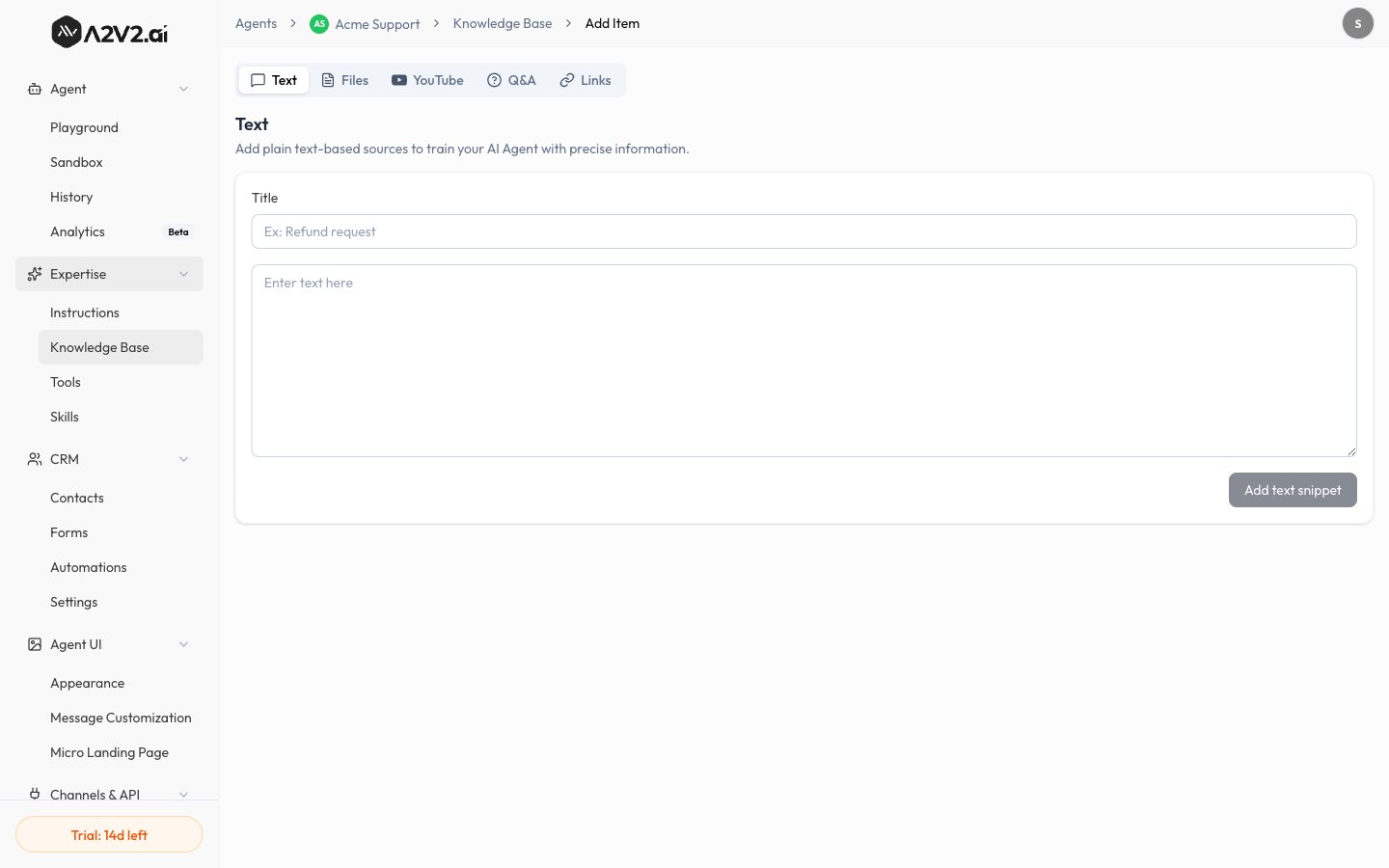
In the agent sidebar, go to **Expertise → Knowledge Base**.
Select **New Knowledge Item**, then open the **Text** tab. Its subtitle reads
"Add plain text-based sources."
Enter a **Title** so you can recognize the snippet later in your source list.
Add the content in the text body. This is what your agent will learn from.
Select **Add text snippet**. The source appears in your list and is indexed —
it's live once it shows **Completed**.
 ## Options reference
| Field | What it controls | Notes |
| ------------- | ----------------------------------- | ---------------------------------------------------- |
| **Title** | The name of the source in your list | Use a descriptive name so it's easy to manage later. |
| **Text body** | The content the agent learns from | Plain text — no file required. |
Text snippets count toward your **Characters Used** allowance on the Knowledge
Base. See [Knowledge Base overview](/knowledge-base/overview#usage).
## When to use Text
Add a fact, policy, or note in seconds without preparing a document.
Word the snippet exactly how you want the agent to learn it.
## Tips
* Keep each snippet to **one topic** so retrieval stays sharp.
* Give every snippet a clear **title** — it's how you'll find and update it later.
* For an exact, word-for-word answer to a known question, a
[Q\&A pair](/knowledge-base/qa) is often a better fit than free text.
## Troubleshooting
Confirm the source shows **Completed** in the
[Knowledge Base](/knowledge-base/overview). If it does, the wording may not
match how the question is asked — add a closer-matching snippet or a
[Q\&A pair](/knowledge-base/qa).
## Related
## Options reference
| Field | What it controls | Notes |
| ------------- | ----------------------------------- | ---------------------------------------------------- |
| **Title** | The name of the source in your list | Use a descriptive name so it's easy to manage later. |
| **Text body** | The content the agent learns from | Plain text — no file required. |
Text snippets count toward your **Characters Used** allowance on the Knowledge
Base. See [Knowledge Base overview](/knowledge-base/overview#usage).
## When to use Text
Add a fact, policy, or note in seconds without preparing a document.
Word the snippet exactly how you want the agent to learn it.
## Tips
* Keep each snippet to **one topic** so retrieval stays sharp.
* Give every snippet a clear **title** — it's how you'll find and update it later.
* For an exact, word-for-word answer to a known question, a
[Q\&A pair](/knowledge-base/qa) is often a better fit than free text.
## Troubleshooting
Confirm the source shows **Completed** in the
[Knowledge Base](/knowledge-base/overview). If it does, the wording may not
match how the question is asked — add a closer-matching snippet or a
[Q\&A pair](/knowledge-base/qa).
## Related