> ## Documentation Index
> Fetch the complete documentation index at: https://docs.a2v2.ai/llms.txt
> Use this file to discover all available pages before exploring further.
# Add Links (Websites)
> Train your agent on the content of a web page by adding its link.
Add a **Links** source to train your agent on content that already lives on the
web — your marketing pages, help center, documentation, or any public website URL.
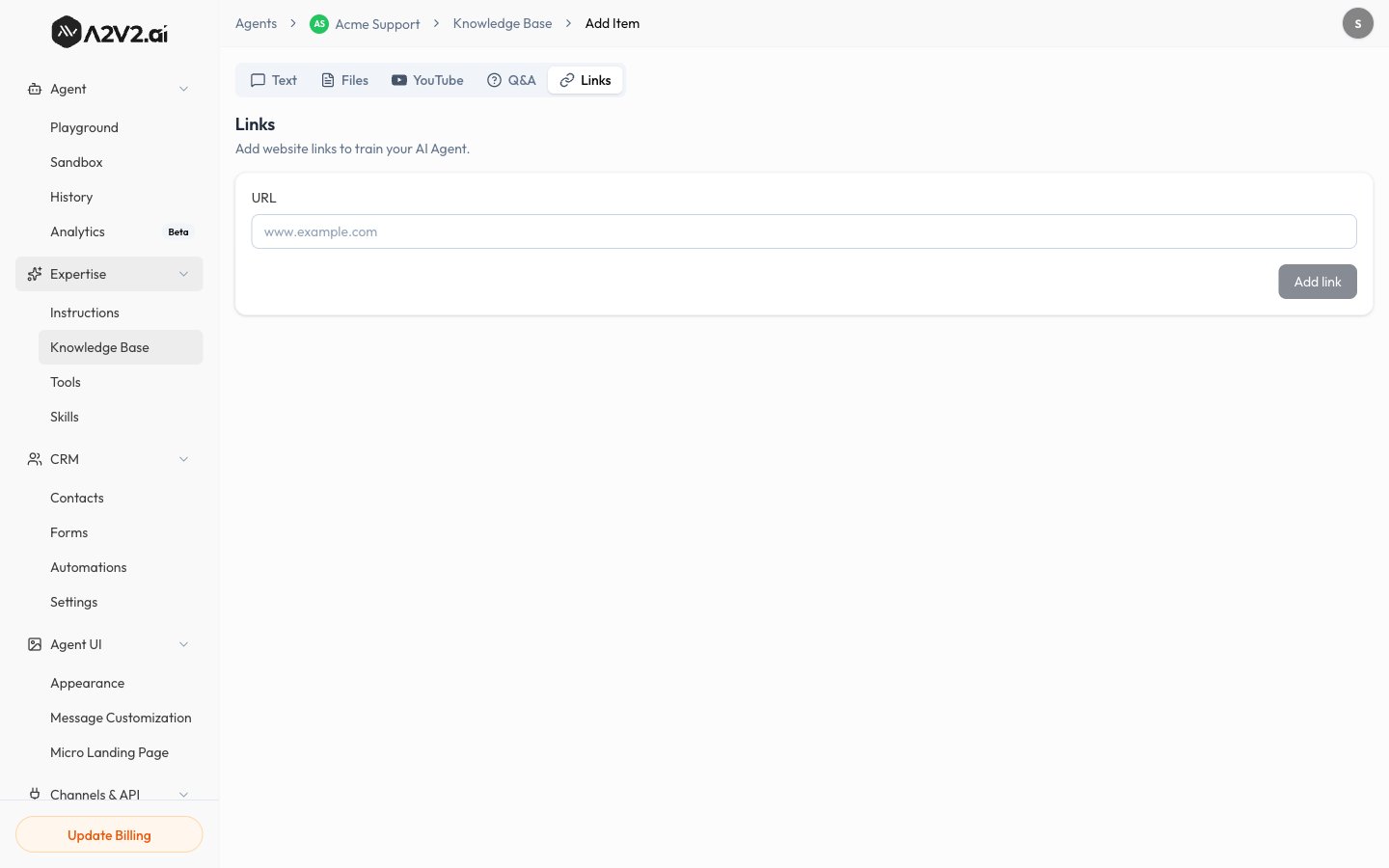
The **Links** tab is titled "Add website links to train your AI Agent."
## Prerequisites
* An agent (see [Create an agent](/building/create-agent)).
* A publicly reachable URL (pages behind a login can't be crawled).
* Enough credits to process the page (see [Credits](/concepts#credits)).
## Add a link
In the agent sidebar, go to **Expertise → Knowledge Base**.
Select **New Knowledge Item**, then open the **Links** tab.
Type the full address of the website you want to index (for example,
`www.example.com`).
Select **Add link**. A2V2.ai fetches the page, extracts its text, and indexes
it. The source shows **Processing** until it's done.
When the status turns **Completed**, the page content is live in your agent.
 ## Options & limits
| Item | Detail |
| ----------- | --------------------------------------------------------------------------------------------------- |
| **Input** | A single public URL per source |
| **Access** | The page must be publicly reachable (no login walls) |
| **Content** | Visible text is indexed; images and video are not |
| **Updates** | Re-crawl by [reprocessing](/knowledge-base/manage-sources#reprocess-a-source) when the page changes |
A website source captures the page as it is *at processing time*. If you update
the page later, reprocess the source so the agent learns the new content.
## Tips
* Point at content-rich pages (docs, FAQs, articles) rather than thin landing
pages.
* Add the most important pages individually so each is indexed cleanly.
* For content you control, an [uploaded file](/knowledge-base/upload-files) or
[Q\&A pair](/knowledge-base/qa) often gives more predictable results than a
crawl.
## Troubleshooting
The page may render its content with JavaScript, or hide it behind a login or
cookie wall. Try a more static URL, or paste the key content as an
[uploaded file](/knowledge-base/upload-files) or [Q\&A](/knowledge-base/qa).
Confirm the URL is correct, public, and reachable in a normal browser, then
[reprocess](/knowledge-base/manage-sources#reprocess-a-source).
## Related
## Options & limits
| Item | Detail |
| ----------- | --------------------------------------------------------------------------------------------------- |
| **Input** | A single public URL per source |
| **Access** | The page must be publicly reachable (no login walls) |
| **Content** | Visible text is indexed; images and video are not |
| **Updates** | Re-crawl by [reprocessing](/knowledge-base/manage-sources#reprocess-a-source) when the page changes |
A website source captures the page as it is *at processing time*. If you update
the page later, reprocess the source so the agent learns the new content.
## Tips
* Point at content-rich pages (docs, FAQs, articles) rather than thin landing
pages.
* Add the most important pages individually so each is indexed cleanly.
* For content you control, an [uploaded file](/knowledge-base/upload-files) or
[Q\&A pair](/knowledge-base/qa) often gives more predictable results than a
crawl.
## Troubleshooting
The page may render its content with JavaScript, or hide it behind a login or
cookie wall. Try a more static URL, or paste the key content as an
[uploaded file](/knowledge-base/upload-files) or [Q\&A](/knowledge-base/qa).
Confirm the URL is correct, public, and reachable in a normal browser, then
[reprocess](/knowledge-base/manage-sources#reprocess-a-source).
## Related