> ## Documentation Index
> Fetch the complete documentation index at: https://docs.a2v2.ai/llms.txt
> Use this file to discover all available pages before exploring further.
# Medical Agents
> A HIPAA-oriented agent type for patient-facing clinics — it unlocks health tracking, prescriptions, a medications catalog, and field encryption on top of your normal agent.
A clinic wants a patient-facing assistant that does more than answer questions: it
should record a patient's blood pressure and HbA1c, keep a list of their prescriptions,
and handle that information with the care health data demands. That's what a **Medical
Agent** is for.
A Medical Agent is an [agent type](/building/create-agent) you choose when you create the
agent. Alongside everything a general agent does — knowledge base, instructions, embed —
it turns on a clinical suite for tracking patient health and prescriptions, and it holds
your organization to HIPAA-eligible models and a signed Business Associate Agreement
before it can go live.
A Medical Agent is built for **health-related questions, symptom guidance, and basic
medical support**. It is a patient-support assistant, not a diagnostic or clinical
decision-making tool — keep that scope in mind when you write its
[instructions](/building/instructions).
## Who it's for
Choose a Medical Agent when your agent will handle **protected health information (PHI)**
and you want the clinical tools that come with it:
* Clinics and practices running a patient-facing assistant.
* Health and wellness programs that track readings like weight, glucose, or blood pressure over time.
* Any use case where you need per-patient prescriptions and a shared medications list.
For everything else — customer support, docs Q\&A, lead capture — use a **General Agent**.
You can't add the clinical suite to a general agent later, so pick the right type when you
[create the agent](/medical/setup-and-baa).
## Two gates, and what each one controls
Medical Agents have two distinct controls that are easy to confuse. Keep them straight:
| Gate | What it controls | When it applies |
| -------------------------------------- | ------------------------------------------------------------------------------------------- | -------------------------------------------- |
| **Agent type = Medical** | Unlocks the entire clinical suite (health tracking, prescriptions, medications, encryption) | The moment you create the agent — no waiting |
| **Business Associate Agreement (BAA)** | Whether the agent can be made **public** / embedded for patients | Only blocks going live, not building |
In other words, **the clinical tools are available immediately** once the agent is a
Medical Agent. The BAA is a separate, human-processed contract that only stops you from
publishing the agent until it's active. You can build and test everything privately in the
meantime. See [Set up a Medical Agent & the BAA](/medical/setup-and-baa) for the full flow.
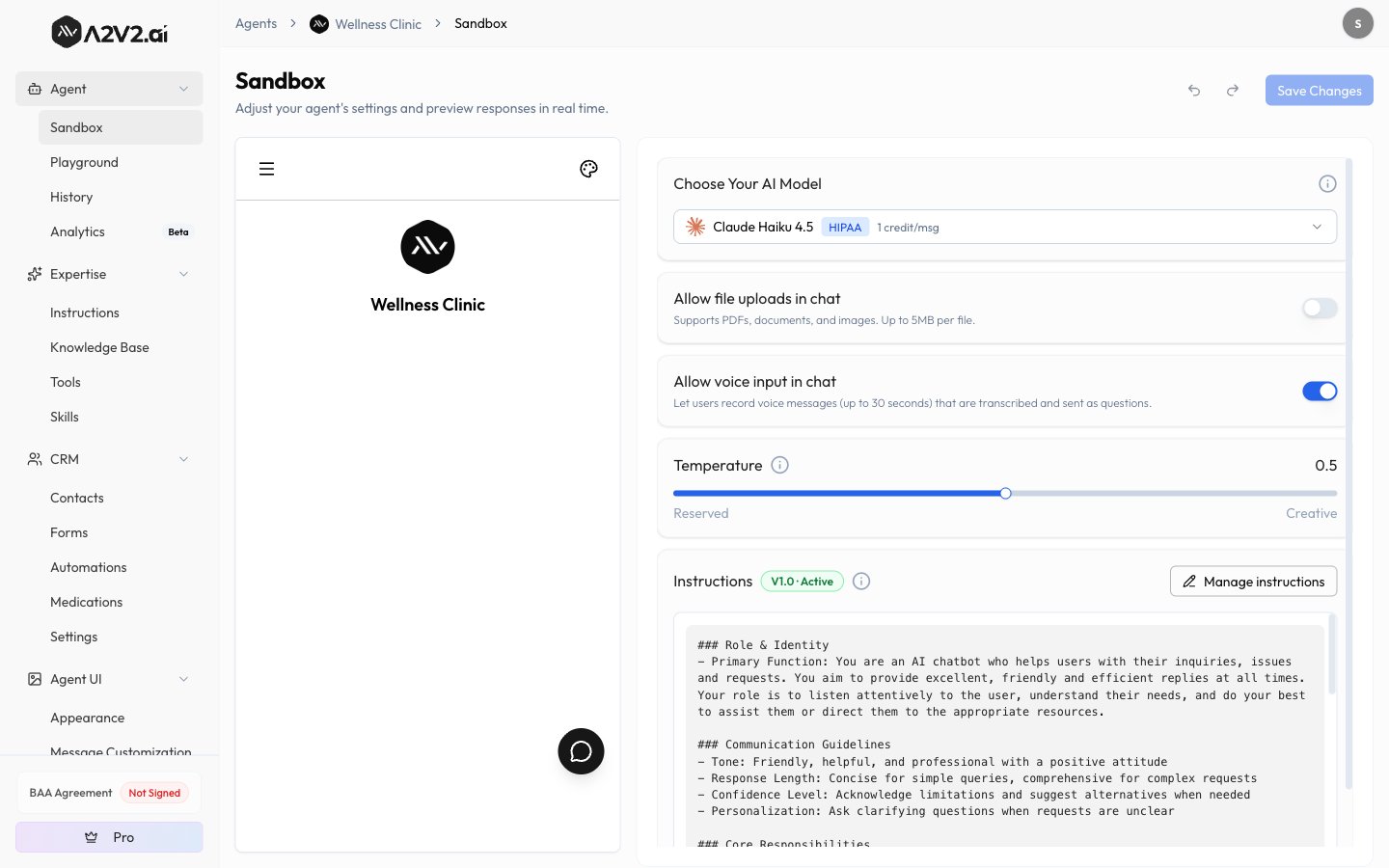
Creating a Medical Agent sets your **entire organization** to HIPAA-compliant. This
narrows the available model list org-wide to HIPAA-eligible models — for every agent, and
for document processing — not just the medical one. This is expected and can't be undone
by deleting the agent. See [HIPAA models](/medical/setup-and-baa#hipaa-eligible-models-only).
## What a Medical Agent unlocks
These features appear only on Medical Agents. Each has its own page:
A **Health** tab on every contact for recording readings, with a library of clinical
parameters ready to use out of the box.
Group parameters into named sets — "Blood Work", "Vitals" — that roll up into
Health and Risk score cards.
A **Prescriptions** tab on each contact to record medications, dosing, and dispense
history per patient.
An organization-wide list of medicines and their variants that prescriptions draw
from.
Encrypt sensitive custom fields at rest — available only on Medical Agents.
A sidebar tile showing your agreement status: Not Signed, In Progress, or Active.
 ## How the pieces fit together
The clinical features build on each other, so set them up in this order:
1. **Create the Medical Agent and request the BAA** — see [Set up a Medical Agent & the BAA](/medical/setup-and-baa).
2. **Review your medications catalog** — the shared list [prescriptions](/medical/medications) draw from.
3. **Review health parameters and add prescriptions** — [health tracking](/medical/health-tracking) parameters come pre-loaded; [prescriptions](/medical/prescriptions) are added per contact.
4. **Group parameters into buckets** — turn parameters into [scored buckets](/medical/health-buckets) on the Health tab.
## Related
Create the agent, request the agreement, and understand the publish gate.
The general create flow and how agent types compare.
How A2V2.ai keeps your data isolated, and what HIPAA compliance means here.
Import patients, health readings, and prescriptions from Tebra into a Medical Agent.
## How the pieces fit together
The clinical features build on each other, so set them up in this order:
1. **Create the Medical Agent and request the BAA** — see [Set up a Medical Agent & the BAA](/medical/setup-and-baa).
2. **Review your medications catalog** — the shared list [prescriptions](/medical/medications) draw from.
3. **Review health parameters and add prescriptions** — [health tracking](/medical/health-tracking) parameters come pre-loaded; [prescriptions](/medical/prescriptions) are added per contact.
4. **Group parameters into buckets** — turn parameters into [scored buckets](/medical/health-buckets) on the Health tab.
## Related
Create the agent, request the agreement, and understand the publish gate.
The general create flow and how agent types compare.
How A2V2.ai keeps your data isolated, and what HIPAA compliance means here.
Import patients, health readings, and prescriptions from Tebra into a Medical Agent.