

What’s on the dashboard
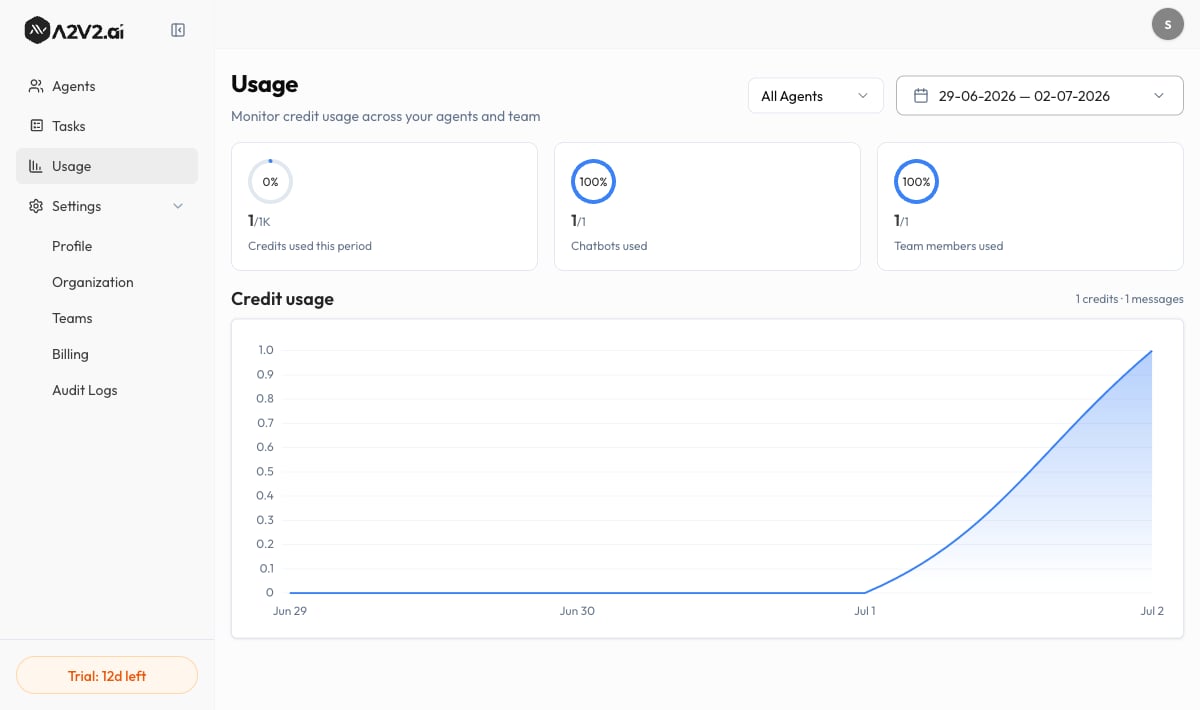
Usage is read-only — it reports what’s already happened. You’ll see a set of summary cards and a trend chart. Only the chart (and the total shown above it) respond to the agent and date filters at the top — the summary cards always show your current plan-period figures, no matter which agent or date range you pick.Summary cards
These three cards reflect your current plan period and are not affected by the
date range or agent filter — only the chart below reacts to those. Credits used here
is spend — how many credits have been consumed, not your remaining balance. To see
what’s left and when it refills, open Billing (see
Credits explained).
Usage breaks credit spend down by agent and over time — there’s no per-team-member
spend breakdown. Team members used is a seat count (how many of your seats are in
use), not a measure of who spent what.
The Credit usage chart
The Credit usage chart plots credit consumption over the selected date range, so you can see spikes (a launch, a viral day) against quiet stretches. It’s a single credit-spend trend line — there’s no chart toggle. The total above the chart shows both numbers for the selected range as a headline figure — for example, “X credits · Y messages”. Reading them together tells you whether a spend spike came from more conversations or from a pricier model answering them.Filter to find the cause
1
Narrow to one agent
Use the agent filter at the top — All Agents by default — and choose
Select Agent to isolate a single agent’s credit usage. This is how you
confirm which agent is driving spend.
2
Pick a date range
Use the date range picker (Start date – End date) to focus on a billing
period, a launch week, or a custom window. The chart and its headline total
update to match — the summary cards above stay on your current plan period.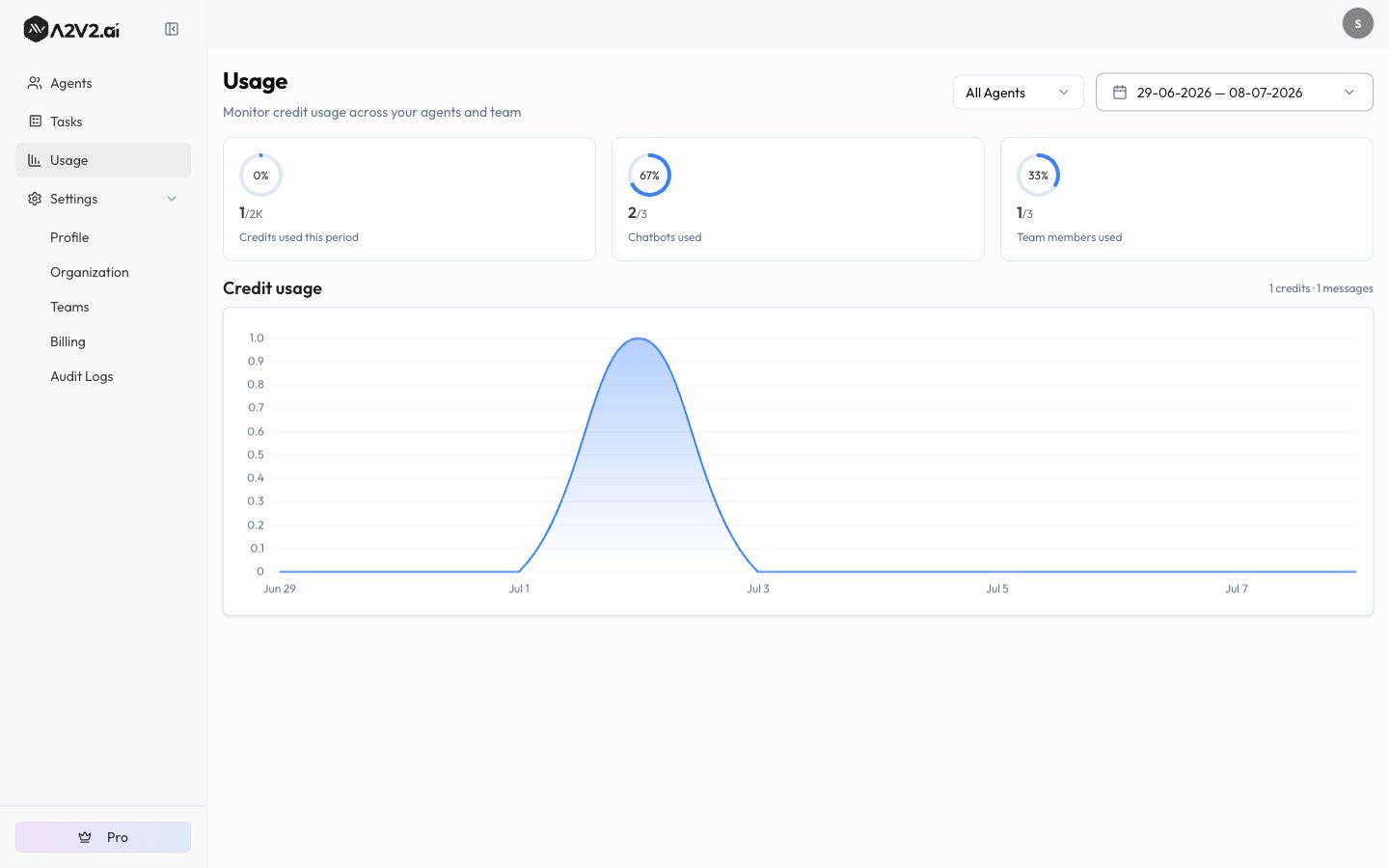
3
Read the trend
Follow the credit-spend line for spikes, and check the “X credits · Y messages”
total above it to see whether a spike is volume-driven or model-driven.
Options reference
Usage vs. Billing — what’s different
The Usage dashboard and the Billing page show related but distinct things. Don’t redraft your balance math from Usage — read it on Billing:Troubleshooting
The chart says no usage data for this period
The chart says no usage data for this period
Usage only appears once your live, embedded agents have answered messages in the
selected range. Testing in the Playground doesn’t draw credits, so it won’t
show here. Widen the date range or confirm the agent is public and embedded.
Usage couldn't load for this range
Usage couldn't load for this range
A temporary hiccup can stop a range from loading. Re-apply the date range or
reload the page to retry. If it persists, contact
support@a2v2.ai.
Credits used here doesn't match my balance on Billing
Credits used here doesn't match my balance on Billing
They measure different things. Usage shows credits spent; Billing shows credits
remaining. Your balance also depends on plan refills and any top-ups — see
Credits explained.
Related
Agent Analytics (Beta)
Go beyond cost — see how a single agent is performing.
Credits explained
The two credit pools, what spends them, and what happens at zero.
Auto-recharge
Top up automatically so a busy spell can’t take agents offline.
Plans
What each plan includes and how many credits it gives you.