

Auto-Recharge — “Automatically top up your credits when your balance falls below a threshold.”
Prerequisites
- You must be the organization Owner — “Only the organization owner can manage auto-recharge.”
- An active subscription — “An active subscription is required to enable auto-recharge.”
- A payment method on file — “A payment method is required to enable auto-recharge.” Add one via Checkout & billing portal.
How it works
When an agent’s activity drains your balance below the threshold, A2V2.ai charges your saved payment method for a fixed top-up and adds the credits to your Top-up Credits pool (which carries over and doesn’t reset). These credits are spent only after your monthly plan credits are used up.
The monthly cap is your safety limit — once you hit it, auto-recharge stops for
the rest of the period even if the balance keeps dropping, so a runaway cost can’t
happen.
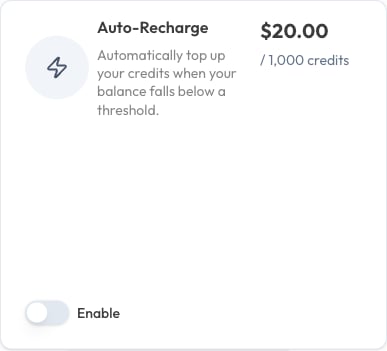
Turn on auto-recharge
1
Open Auto-Recharge in Billing
Make sure you have an active subscription and a payment method first.
2
Enable it and set your monthly cap
Set Max recharges per month to bound your maximum spend. You’ll see a
confirmation: “Auto-recharge settings updated.”
3
Let it run
From now on, when your balance falls below the threshold, A2V2.ai tops up
automatically and shows “Credits topped up successfully.”
Top up manually
Don’t want to wait for the threshold? Use Top Up Now to add credits immediately at the same rate — useful right before a campaign or event you know will be busy.When auto-recharge turns itself off
If several top-up payments fail in a row, A2V2.ai disables auto-recharge to avoid repeatedly hitting a bad card:“Auto-recharge was disabled after multiple failed payment attempts. Please update your payment method and re-enable.”To recover, open Checkout & billing portal, update your payment method, then re-enable auto-recharge.
Some card payments require an extra verification step from your bank. When that
happens, the credits are added as soon as the verification completes rather than
instantly.
Troubleshooting
I can't enable auto-recharge
I can't enable auto-recharge
Check all three requirements: you’re the Owner, you have an active
subscription, and a payment method is on file. The app tells you which
one is missing.
It stopped recharging this month
It stopped recharging this month
You may have reached your Max recharges per month cap, or a payment failed.
Check the “recharges used this month” count and your payment method.
It says it was disabled after failed payments
It says it was disabled after failed payments
Update your card in the customer portal, then
switch auto-recharge back on.
Related
Credits explained
How the two credit pools work.
Checkout & billing portal
Add or update your payment method.
Plans
Pick the right monthly credit allowance.
Add-ons
Add capacity beyond credits.