

Prerequisites
- A signed-in account in an organization (see Accounts & organizations).
- Your plan must have an available agent slot. Need more? See Credits & plans.
Create an agent
1
Open the Agents dashboard
After signing in you land on the Agents dashboard, which lists your
agents. It’s your home base for opening, creating, and managing them.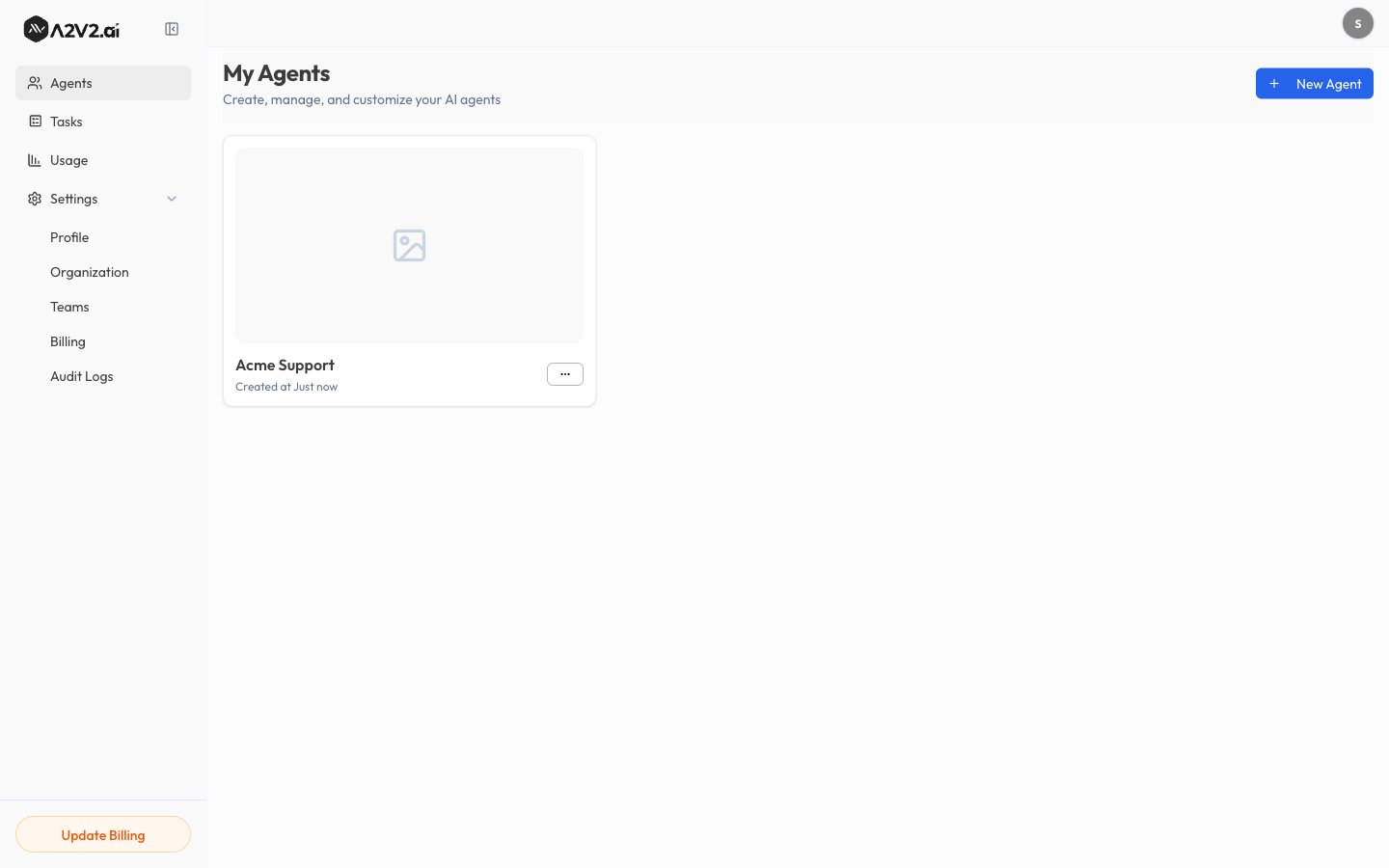
2
Start a new agent
Select New Agent. The Add Agent dialog opens.
3
Choose an agent type
Pick the type that matches what your agent is for:
- General Agent — “A versatile AI assistant for general-purpose conversations, customer support, and knowledge base queries.” This is the right choice for most use cases.
- Medical Agent — designed to assist patients with health-related questions.
4
Name it and create
Enter an Agent Name, then select Create. The new agent opens on its
Playground, ready for you to add knowledge and test it.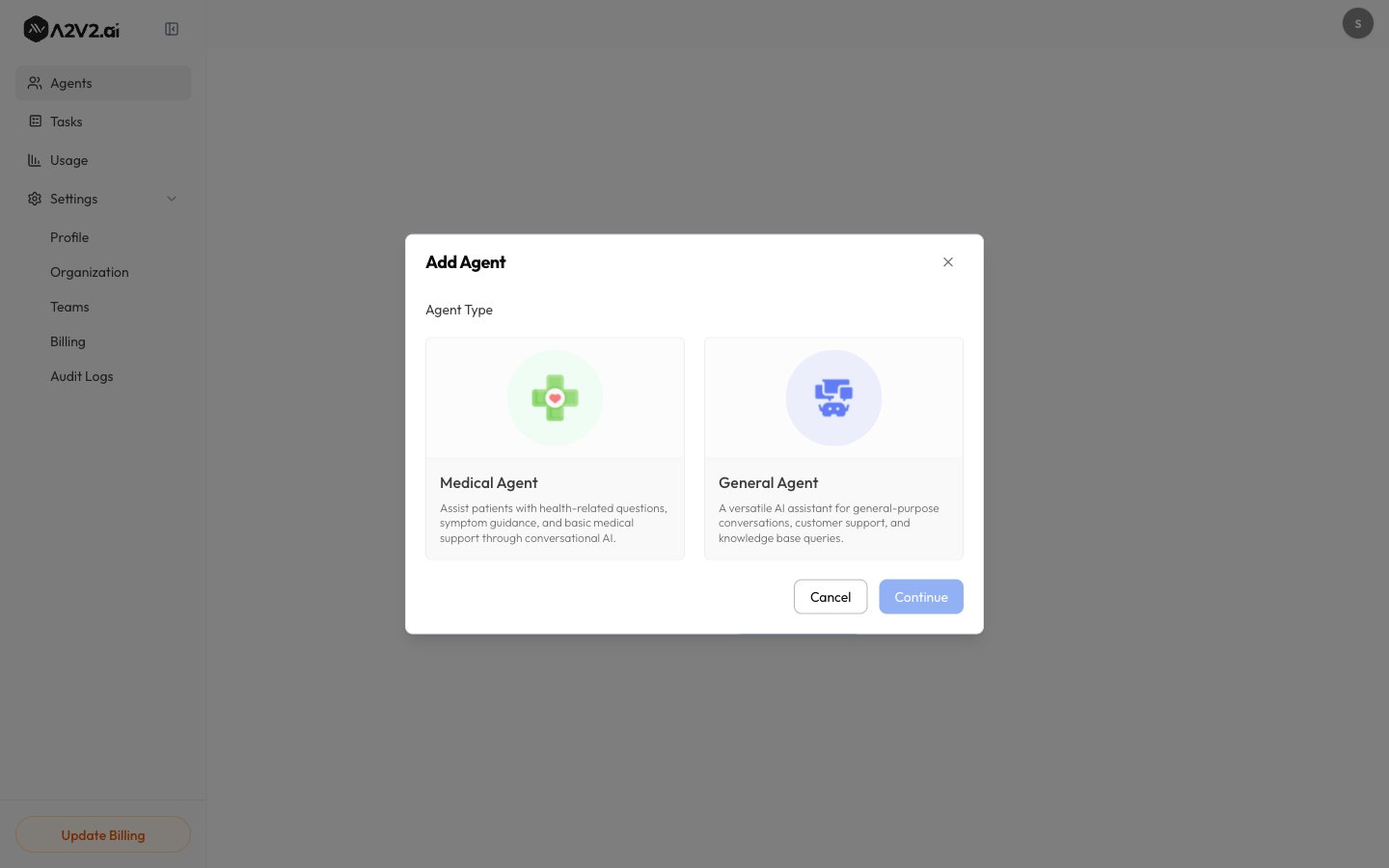
The agent type sets the right starting point for your agent. Choose
General Agent unless you’re specifically building a patient-facing medical
assistant.
Manage existing agents
From the Agents dashboard you can:Duplicate an agent
Duplicating is the fastest way to spin up a variant — for example, a staging version of a live agent. The copy starts with the original’s configuration, which you can then change independently.Next steps
Add knowledge
Train the agent on your content.
Write instructions
Give it a persona and rules.
Choose a model
Set quality, speed, and cost.
Test it
Chat with your agent in the Sandbox.