

Why the CRM matters
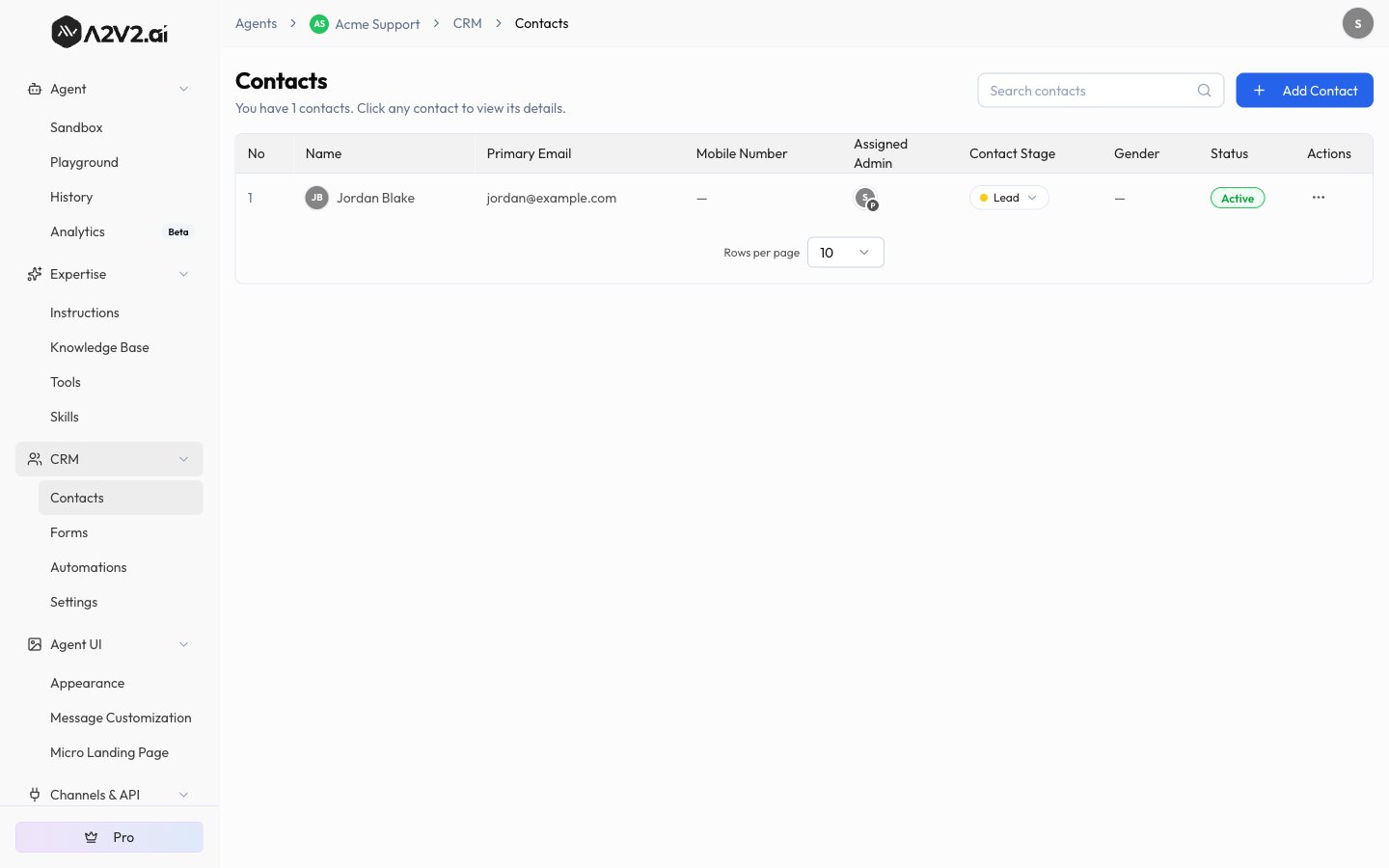
Your agent is often the first conversation a prospect or customer ever has with you. The CRM makes sure that conversation turns into a record you can act on:- Capture leads automatically. When the agent collects someone’s details during a chat, that person becomes a contact — no copy-paste required.
- Keep everything in one place. Each contact carries their chat history, your internal notes, uploaded files, and any forms they submitted.
- Qualify and assign. Contacts move through pipeline stages and get assigned to a team member, so leads don’t fall through the cracks.
- Power gated agents. Restricted and paid agents check the CRM to decide who’s allowed in (see below).
Where contacts come from
A contact can enter the CRM several ways. Each contact records how it was created:For the agent to capture a detail during chat (like a phone number or company name),
the matching contact field must have Allow for AI turned on. See
Custom fields.
The CRM and gated agents
Two of your agent’s visibility modes lean directly on the CRM:- Restrict — “Only users from your CRM can use this chatbot.” Your contact list becomes the guest list: people sign in, and only those already in your CRM get through.
- Pay for Access — visitors who buy a subscription become contacts you can see and follow up with.
What’s in the CRM
Contacts
The contact list, individual contact details, rich-text notes, and files.
Custom fields
Capture information beyond name and email, and let the agent fill it in.
Forms
Build forms with drag-and-drop, share them, and review submissions.
Automations
Auto-assign owners and set a starting stage for every new contact.
Tips
Related
Manage contacts
View, add, and organize the people in your CRM.
Agent visibility
Use your CRM to restrict who can chat with a gated agent.
Conversation history
Read the conversations behind your captured contacts.
Paid agents
Charge for access and turn subscribers into contacts.