

Prerequisites
- An agent (see Create an agent).
- The text you want the agent to learn from.
Add a text snippet
1
Open the Knowledge Base
In the agent sidebar, go to Expertise → Knowledge Base.
2
Start a new item
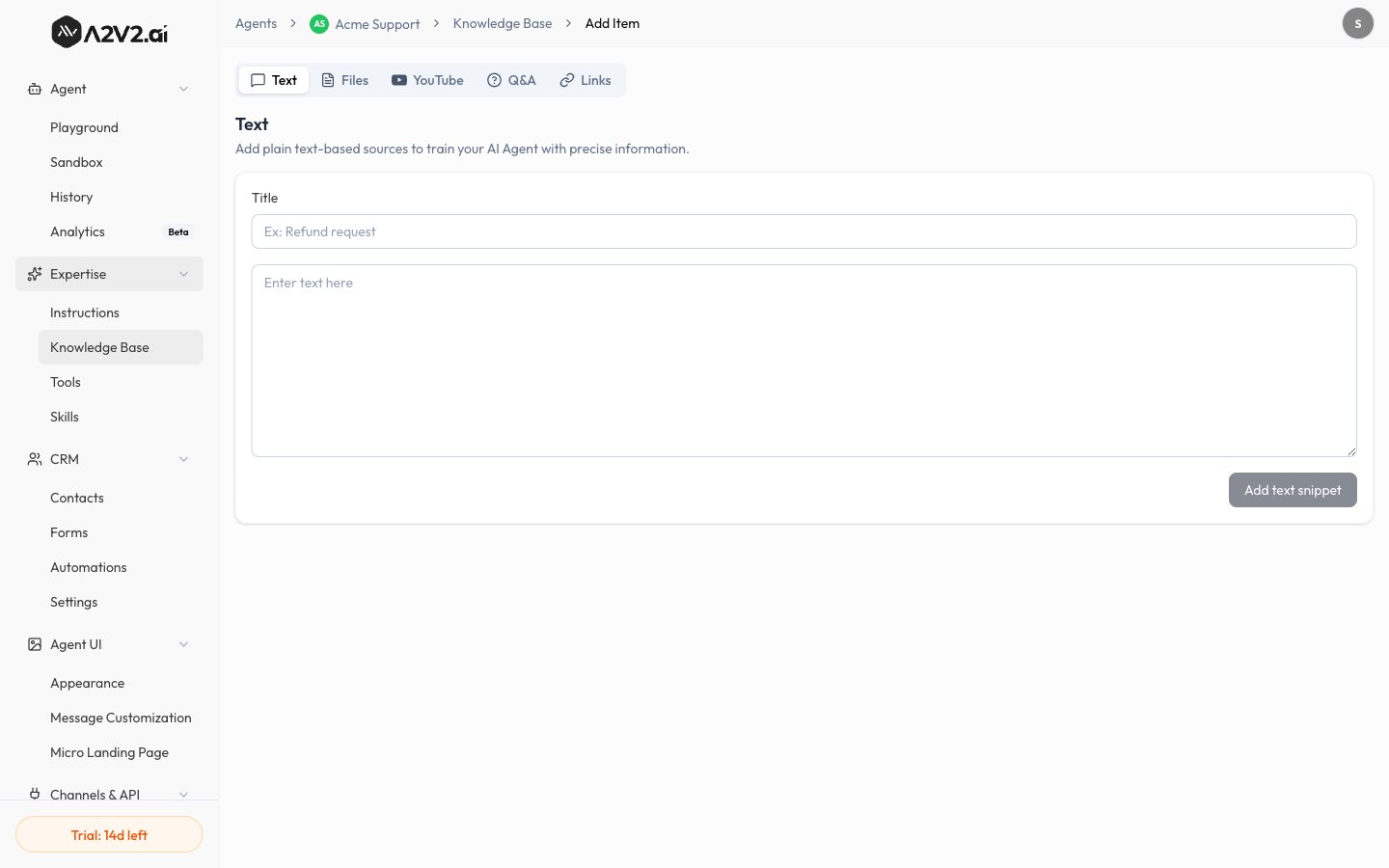
Select New Knowledge Item, then open the Text tab. Its subtitle reads
“Add plain text-based sources.”
3
Give it a title
Enter a Title so you can recognize the snippet later in your source list.
4
Write or paste the text
Add the content in the text body. This is what your agent will learn from.
5
Add the snippet
Select Add text snippet. The source appears in your list and is indexed —
it’s live once it shows Completed.
Options reference
Text snippets count toward your Characters Used allowance on the Knowledge
Base. See Knowledge Base overview.
When to use Text
Quick additions
Add a fact, policy, or note in seconds without preparing a document.
Content you control
Word the snippet exactly how you want the agent to learn it.
Tips
Troubleshooting
The agent doesn't use my text
The agent doesn't use my text
Confirm the source shows Completed in the
Knowledge Base. If it does, the wording may not
match how the question is asked — add a closer-matching snippet or a
Q&A pair.