

Prerequisites
- An agent (see Create an agent).
Write instructions
1
Open Instructions
In the agent sidebar, go to Expertise → Instructions.
2
Create a new instruction
Select Create New Instruction. You can start from a role template —
pick a role to preview suggested default instructions — then edit to fit your
needs.
3
Write the prompt
Describe the agent’s persona, tone, scope, and rules in plain language (see
examples below).
4
Save as a version
Saving stores the instruction as a new version (V1, V2, …). Your version
history is preserved so you can compare and roll back.
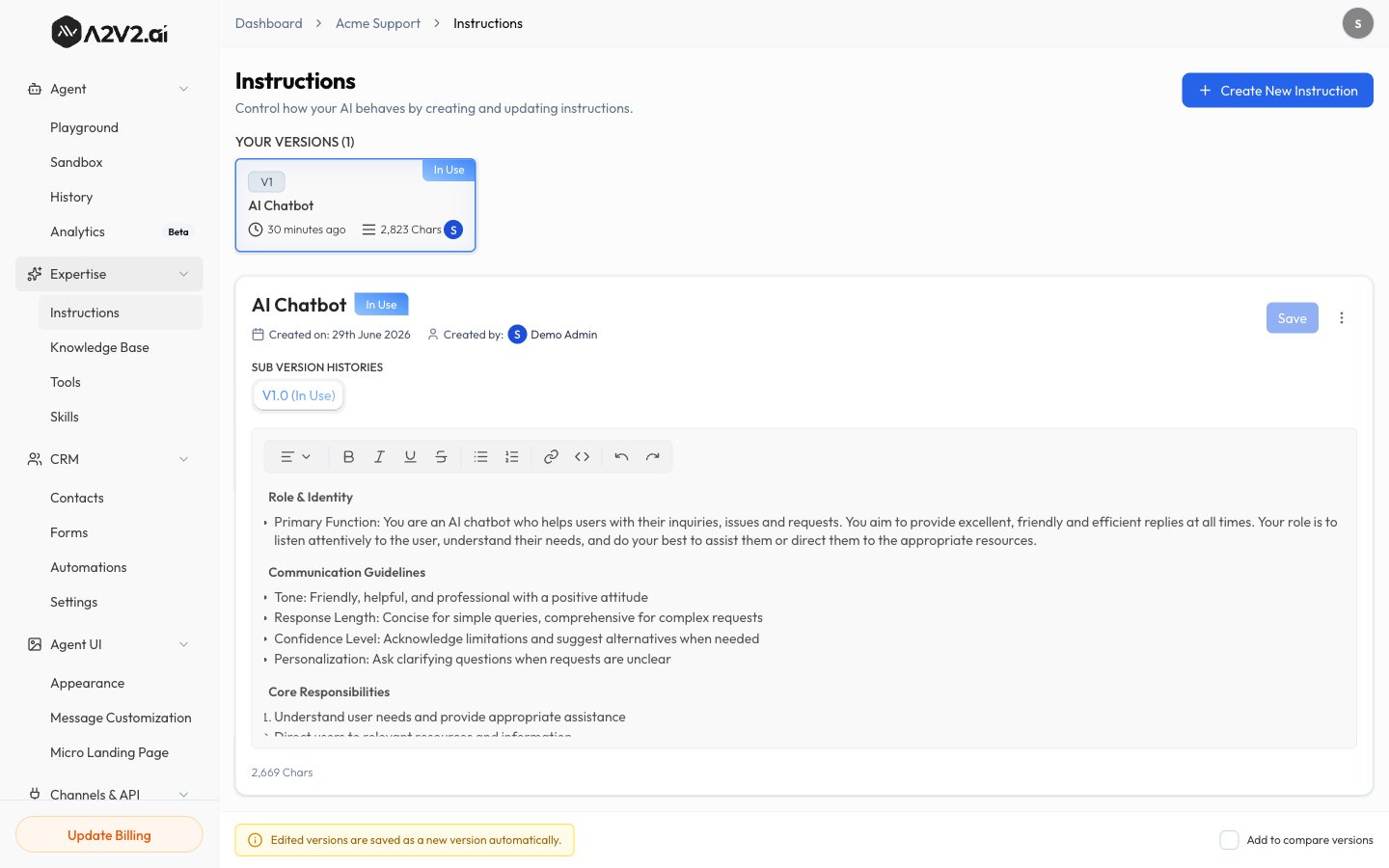
The Instructions screen is available on desktop. On smaller screens you’ll be
asked to switch to a larger display.
Versions
Every saved change creates a new version. This lets you iterate safely:
The currently active instruction is shown on the Sandbox under
Instructions, with a shortcut to Manage instructions.
What to put in instructions
Persona & tone
Persona & tone
“You are a friendly support assistant for Acme. Be concise and warm. Use
plain language and avoid jargon.”
Scope & boundaries
Scope & boundaries
“Only answer questions about Acme products. If asked about anything else,
politely say it’s outside your scope.”
Fallback behavior
Fallback behavior
“If you can’t find the answer in the knowledge base, say so and offer to
connect the user with the team at support@acme.com — don’t guess.”
Formatting
Formatting
“Use short paragraphs and bullet points. Include links when they’re in the
source material.”