

The Playground is a desktop feature. On smaller screens you’ll be asked to switch
to a larger display.
Availability
- Advanced Agent only. The Playground requires the v2 Advanced Agent. If an agent is on Simple RAG, the Playground prompts you to switch it first. Newly created agents open on the Sandbox rather than the Playground.
- Owners and Admins. Members with the User role don’t have Playground access.
- Desktop only (see the note above).
Prerequisites
- An agent (see Create an agent).
- At least one Completed knowledge source.
Compare configurations
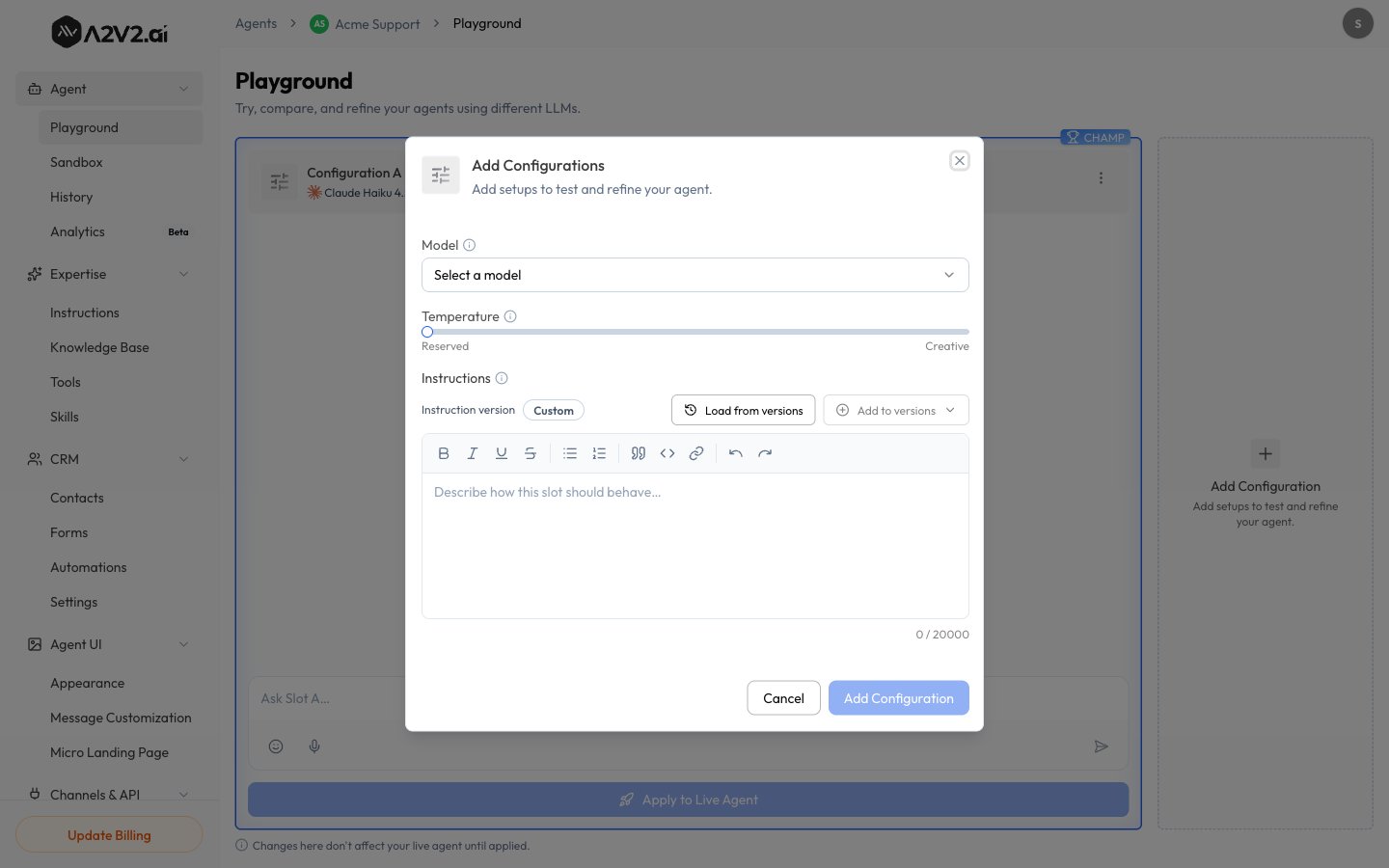
The Playground gives you side-by-side configurations — Configuration A and Configuration B — each with its own model, temperature, and instruction version, running in parallel.1
Open the Playground
In the agent sidebar, open Agent → Playground.
2
Set up each configuration
For Configuration A and Configuration B, pick a model, adjust
temperature, and choose the instruction version to use. Need a third?
Select Add Configuration.
3
Ask one question
Send the same question to every configuration and compare the answers
side-by-side.
4
Apply the winner
Once you know which configuration wins, select Apply to Live Agent to make
it your agent’s live setup.
Changes here don’t affect your live agent until applied — experiment freely, then
use Apply to Live Agent when you’re ready.
Voice input
Each configuration’s input box lets you type your question or use Start recording to speak it — handy for testing how the agent handles natural, spoken phrasing. Recordings can be up to 30 seconds and are transcribed into the input box before they’re sent.In the live widget, each successful voice message costs 1 credit for the
transcription — see Let visitors speak their questions.
Playground comparisons remain credit-free as described above.