

Your two credit pools
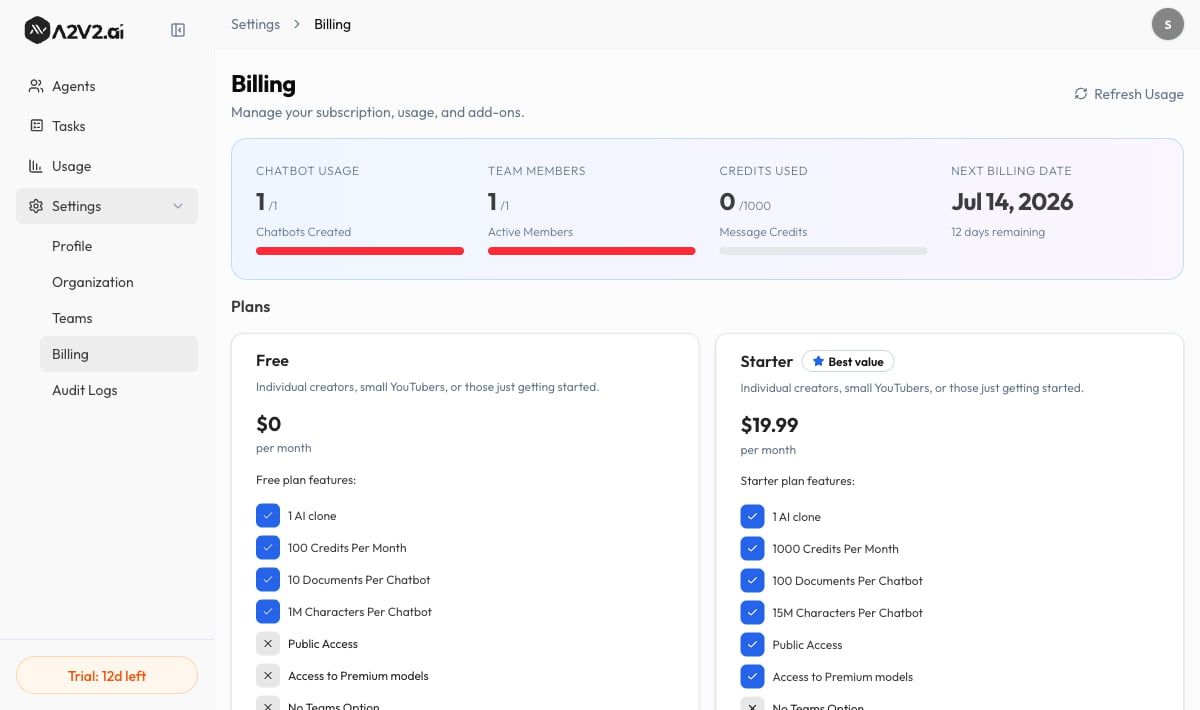
Every organization has two separate pools of credits. They’re spent in order — plan credits first, then top-up credits — so your purchased credits are only touched once the plan allowance runs low.Because top-up credits don’t reset, anything you buy is never lost at the period
boundary. Plan credits, on the other hand, refill — they don’t roll over, so
there’s no benefit to “saving” them.
What spends credits
Credits are consumed by the work an agent actually does:
The exact credit cost of each model is shown in the Sandbox model selector as
“Credits cost:” when you pick a model, so you can compare before committing an
agent to a premium model.
Testing in the Playground is free — internal test messages there don’t draw
from your credit balance. Costs apply to your live, embedded agents and the
sources you process.
What happens at zero balance
Credits are checked at the moment an agent tries to act, not before:- When the balance reaches 0, an agent stops generating new answers. Visitors see a notice that there aren’t enough credits to respond.
- Voice messages show “Insufficient credits to transcribe this recording.”
- Your existing agents, knowledge bases, contacts, and settings are untouched — nothing is deleted. Only new AI work pauses.
- Your plan credits refill at the start of the next billing period, or
- You top up — either manually or automatically via auto-recharge.
Troubleshooting
My agent stopped answering mid-conversation
My agent stopped answering mid-conversation
Your credit balance most likely reached zero. Open Billing to check, then
either wait for your plan period to reset or
top up your credits. Turning on auto-recharge
prevents this from happening again.
Credits dropped faster than I expected
Credits dropped faster than I expected
A premium model costs more per message than a standard one, and high traffic
multiplies that. Review the model on
Model & settings and compare costs in the Sandbox
model selector. Document processing and voice transcription also draw credits.
I topped up but the balance looks the same
I topped up but the balance looks the same
Use Refresh Usage on the Billing page to pull the latest figures. Top-up
credits appear under Top-up Credits (“Remaining from recharges”), separate
from your monthly plan credits.
Related
Plans
What each plan includes and how much credit it gives you.
Auto-recharge
Top up automatically so agents never stop answering.
Checkout & billing portal
Subscribe and manage your payment method.
Core concepts
How credits fit with agents, knowledge, and RAG.