Your agent’s model determines the quality, speed, and credit cost of its answers. Temperature controls how creative versus focused those answers are. Both are set on the Sandbox.

Prerequisites

Choose a model

1

Open the Sandbox

In the agent sidebar, open Agent → Sandbox.
2

Open the model selector

Under Choose Your AI Model, open the selector. Each option shows its credits per message and any badges (HIPAA, Premium).
3

Pick a model

Choose the model that fits your needs. New agents start on Claude Haiku 4.5 (1 credit/msg).
4

Save changes

Select Save Changes to apply your selection to the agent’s live answers.
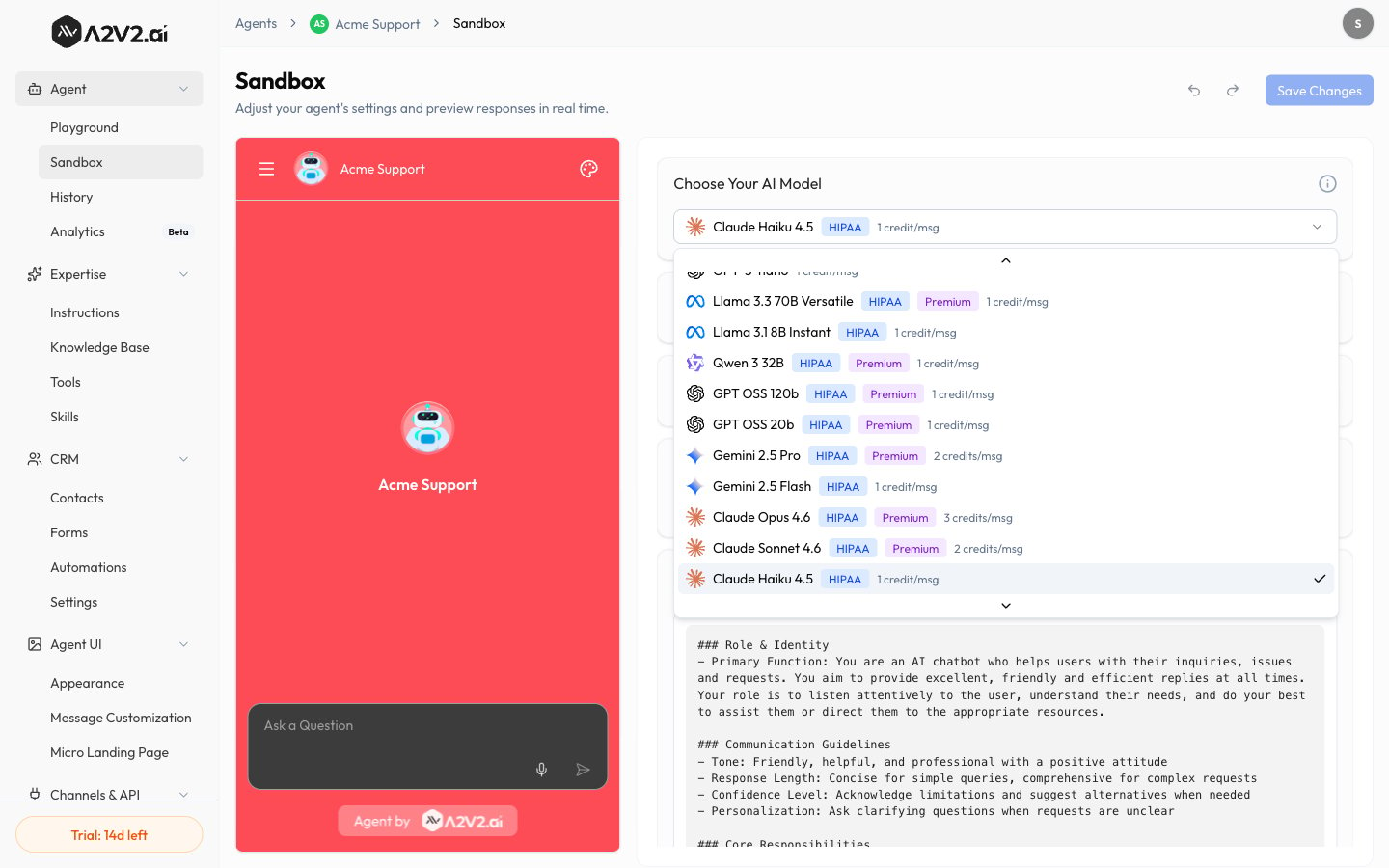
The Choose Your AI Model selector showing models with credit costs and HIPAA/Premium badges.
Different models consume different amounts of credits per message. A more capable model gives better answers but costs more per reply — see Credits.

Choosing the right model

If you want…Lean toward
The best answer qualityA more capable (higher-cost) model
Faster, cheaper replies at scaleA lighter, lower-cost model
A balanceStart mid-tier, then adjust after testing
Use the Playground to run the same questions against two models side-by-side before committing.

Model reference

The models below are available in the Choose Your AI Model selector. The HIPAA badge marks models eligible for HIPAA use; the Premium badge marks higher-tier models. Credit cost is charged per message.
ModelBadgesCredits/msg
GPT-5.4Premium2
GPT-5.4-mini1
GPT-5.4-nano1
GPT-5.1Premium1
GPT-5Premium1
GPT-5-mini1
GPT-5-nano1
Llama 3.3 70B VersatileHIPAA, Premium1
Llama 3.1 8B InstantHIPAA1
Qwen 3 32BHIPAA, Premium1
GPT OSS 120bHIPAA, Premium1
GPT OSS 20bHIPAA, Premium1
Gemini 2.5 ProHIPAA, Premium2
Gemini 2.5 FlashHIPAA1
Claude Opus 4.6HIPAA, Premium3
Claude Sonnet 4.6HIPAA, Premium2
Claude Haiku 4.5 (default)HIPAA1
GLM-5HIPAA, Premium1
The model catalog and credit costs can change over time — the selector in the app is always the source of truth for what’s available and what it costs.

Tune temperature

Temperature sets how much the model varies its wording:
TemperatureBehaviorGood for
LowFocused, consistent, repeatableSupport, policies, factual answers
HigherMore varied and creativeBrainstorming, casual/marketing tone
Adjust it with the Temperature slider on the Sandbox.
For support and factual agents, keep temperature low. High temperature makes answers less predictable and more likely to drift from your sources.

Tips

  • Pair a capable model with low temperature for accurate, grounded support answers.
  • If answers feel robotic, nudge temperature up slightly — but re-test for accuracy.
  • Model choice and temperature interact with your instructions; tune them together.

Write instructions

Compare in the Playground

How credits work

Skills