

Buckets are available on Medical Agents only, and are managed in CRM → Settings,
which is desktop only. Creating and editing buckets requires an Admin; anyone on the
team can view them. New to Medical Agents? Start with the
Medical Agents overview.
What a bucket is — and isn’t
A bucket groups parameters, not contacts. It’s a lens for reading one patient’s health across a clinical domain, not a segment or a saved list of patients.- A bucket is a name plus a set of assigned parameters. On a contact’s Health tab it becomes a score card.
- A parameter can belong to more than one bucket — assigning it to a bucket never removes it from another.
- Buckets are empty by default. Unlike health parameters, which come pre-loaded, you create the buckets that fit how your practice thinks.
Before you start
You need health parameters to group — and, for the score cards to show numbers, those parameters need scored range bands. A Medical Agent ships with a full parameter library, so you can usually start grouping right away.Create a bucket
1
Open Buckets
In your Medical Agent, go to CRM → Settings → Buckets and select New Bucket.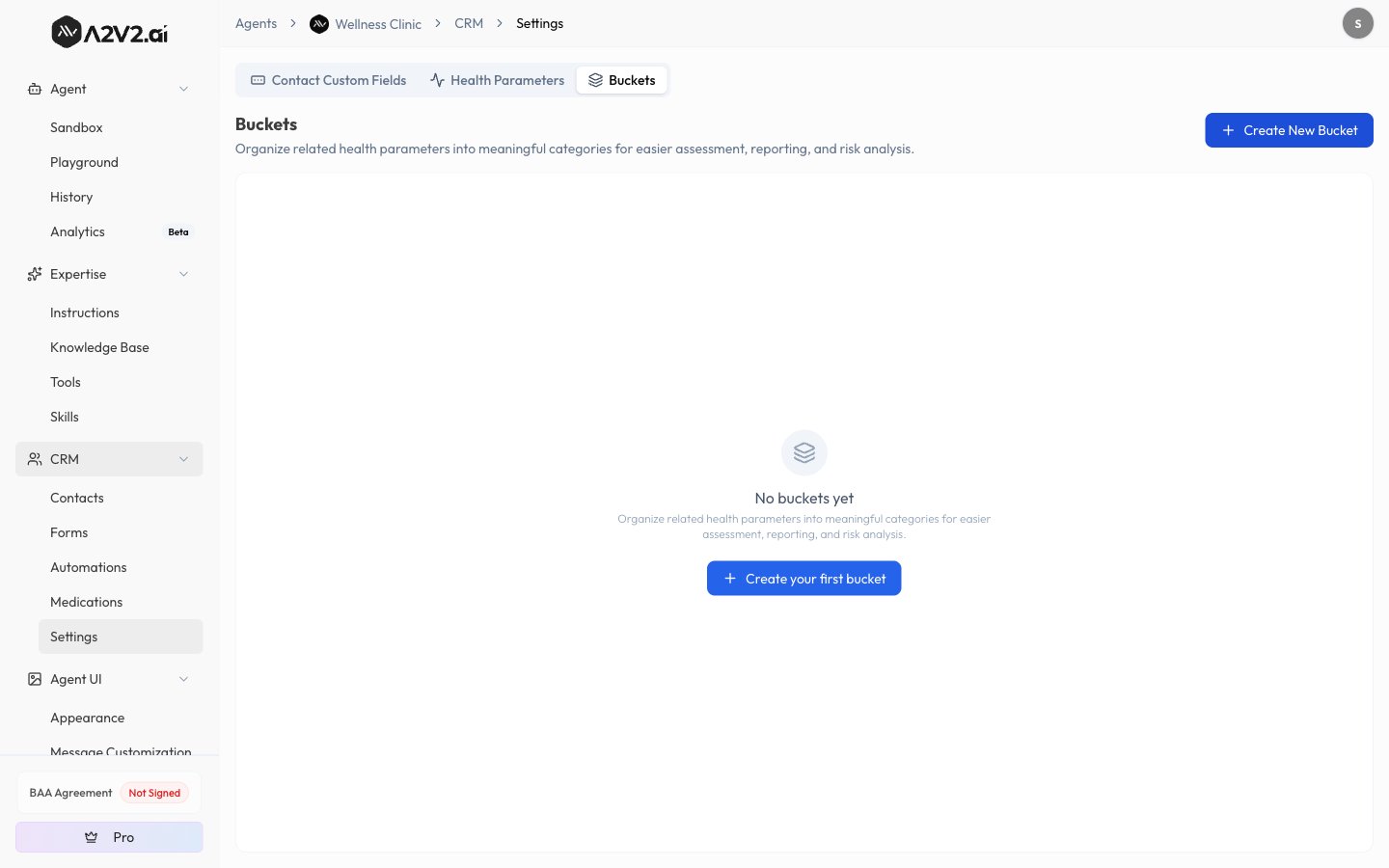
2
Name the bucket
Enter a Bucket Name (required, up to 50 characters, and unique among your buckets) —
the medical domain it represents, such as Cardiology or Blood Work.
3
Assign parameters
Under Assign Parameters, search the parameter library and check the ones this bucket
should roll up. The count updates as you select.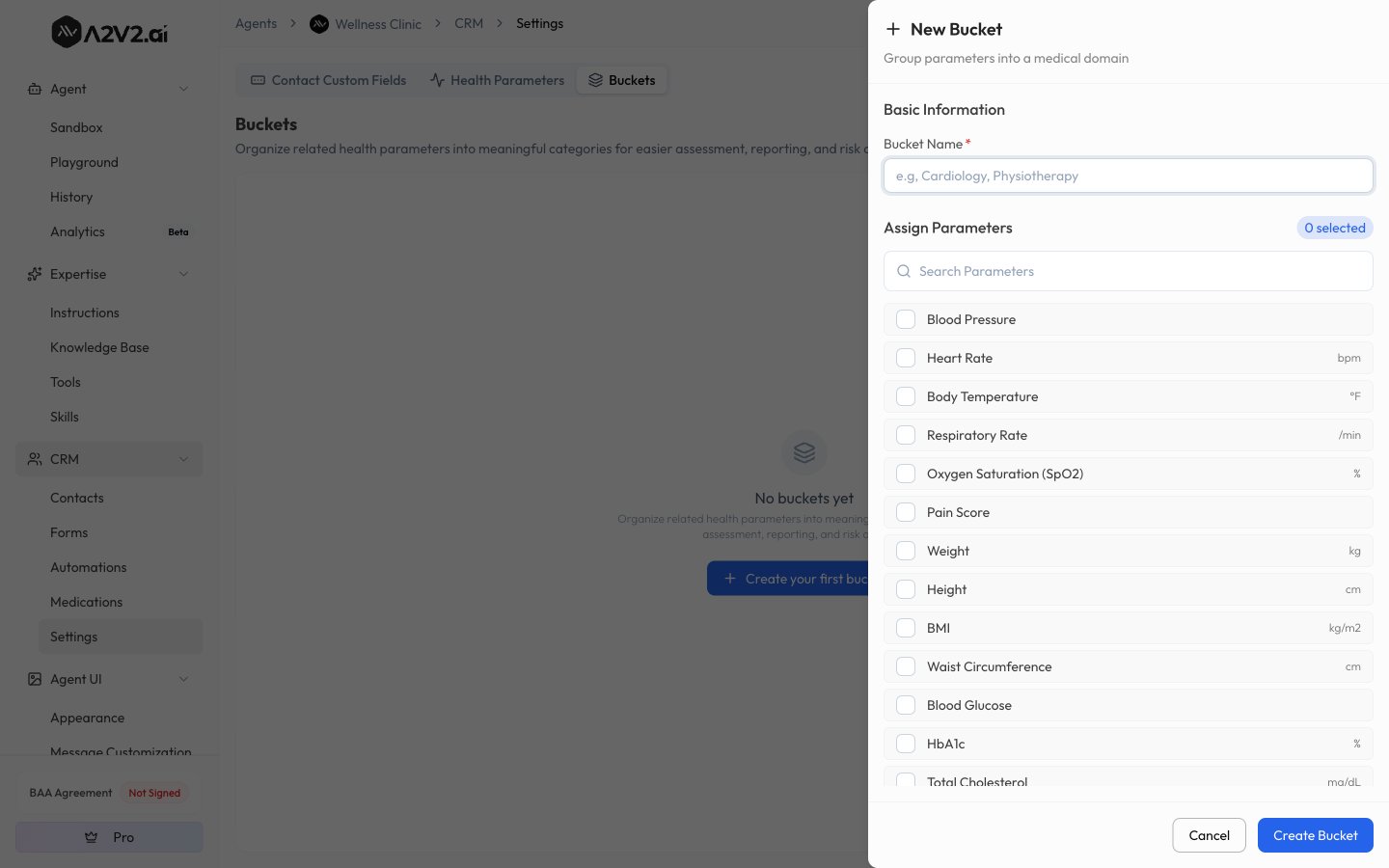
4
Save
Save the bucket. It now appears in the Buckets list and as a score card on every
contact’s Health tab.
Options reference
How bucket scores work
Each bucket produces two scores on a patient’s Health tab:- Health — higher is better.
- Risk — higher means greater risk.
Using buckets on the Health tab
When a Medical Agent has buckets defined, a patient’s Health tab shows a Bucket scores row of cards above the readings table.- Each card shows the bucket name, a measured-of-total count, and a Health and Risk score with a progress bar.
- Click a card to filter the readings table to just that bucket’s parameters. Select more than one card to see the combined set, and use Clear filter to return to all parameters.
Delete a bucket
Tips
Troubleshooting
I don't see the Buckets tab
I don't see the Buckets tab
Buckets are available on Medical Agents only, in CRM → Settings, on desktop.
On a general agent, or on a small screen, the tab won’t appear.
A bucket card shows N/A or a low score
A bucket card shows N/A or a low score
Scores only count measured parameters, so a card reads N/A until at least one of its
parameters has a reading. A card can also stay N/A if its parameters have no scored range
bands. Record readings, or add scored bands to the parameters.
Deleting a bucket didn't delete my parameters
Deleting a bucket didn't delete my parameters
That’s expected. Deleting a bucket removes the grouping only — the parameters remain in
your library and in any other buckets.
I can't create or edit buckets
I can't create or edit buckets
Creating, editing, and deleting buckets requires an Admin. Team members can view
buckets and their score cards.
Related
Health tracking
Define parameters, record readings, and read Health and Risk scores.
Medical Agents
What a Medical Agent unlocks and how the clinical suite fits together.
Contacts
How contacts work, and the tabs a Medical Agent adds.
CRM overview
How the pieces of the CRM fit together.