

Prerequisites
- You must be the organization Owner to change the name. Admins and Users can view this page but the field is read-only for them. See Members & roles.
Rename your organization
1
Open organization settings
From the dashboard sidebar, select Settings → Organization.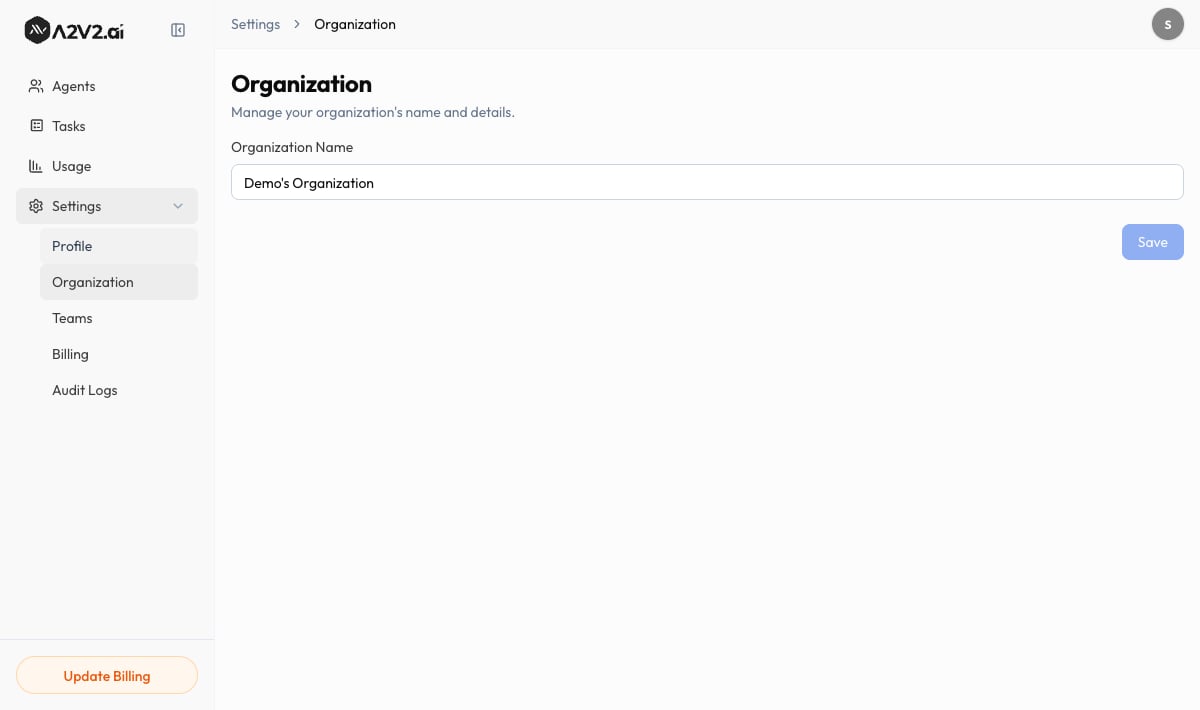
2
Edit the name
Update Organization Name. It must be between 3 and 100 characters.
3
Save
Save your change. You’ll see “Organisation name updated successfully.”
Fields reference
An organization is your workspace; an account is your personal login. One
account belongs to one organization. Everyone you invite joins this same organization
and shares its agents, contacts, and credits.
Troubleshooting
The Organization Name field is read-only for me
The Organization Name field is read-only for me
Only the organization Owner can rename the workspace. If you need a change, ask
your Owner, or have them transfer ownership. See Members & roles.
My new name won't save
My new name won't save
The name must be 3–100 characters. Names that are too short or too long are rejected.
Related
Members & roles
Invite teammates into this organization and set their roles.
Billing & plans
Manage the subscription, credits, and add-ons for this organization.
Your profile
Set your personal name and picture.
Audit logs
Review activity across the organization.